
Patient Cohort Cards Are Here
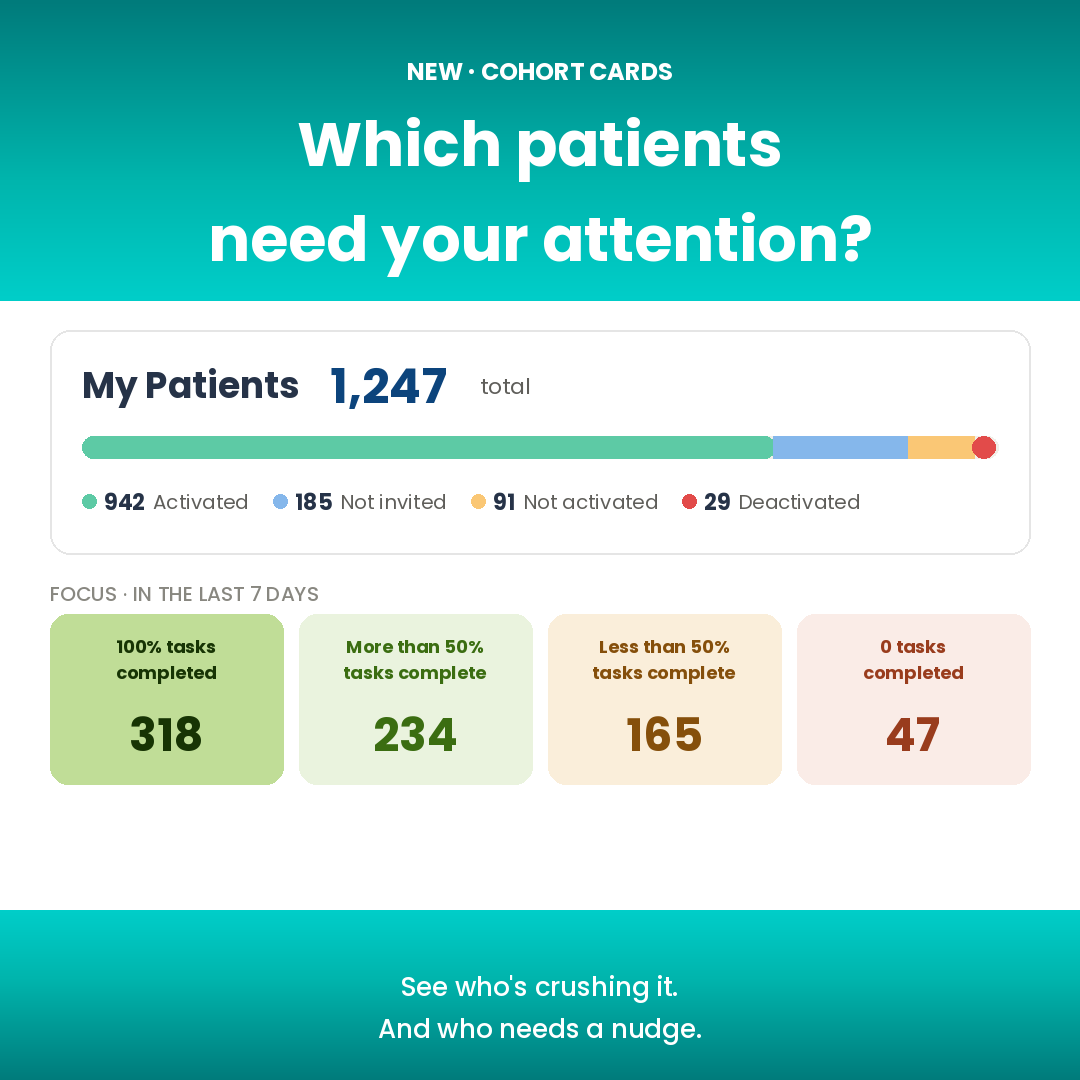
Cohort cards are here
A new way to see — and act on — the patients who need your attention most.
Today’s release is the third piece we’ve been putting in place. The Patients page redesign gave you bulk actions on any group you selected. A new category of assignable tasks gave you richer ways to define what each patient should do. Now cohort focus cards bring those pieces together — surfacing groups of patients by task activity, ready for bulk action in one click.
See who needs your attention at a glance
Four cards now sit at the top of your Patients page, showing how your patients are doing on their tasks over the last 7 days:
- 100% tasks completed — your top performers. Send a celebration message with one click.
- More than 50% tasks complete — solid progress. A quick check-in keeps the momentum going.
- Less than 50% tasks complete — falling behind. Time for a nudge, a program adjustment, or a check-in call.
- 0 tasks completed — the group that needs the most attention. Message them together and get them back on track.
The order runs left to right from your top performers to your patients who need the most attention, so the eye starts on the celebration cohort and lands where the intervention needs to happen.
Click a card, act on the group
Click any card and your patient list narrows to just those patients. From there, use the multi-select and bulk-action bar you’re already familiar with — message them all, add them to a program, invite them to a group chat, add a tag, deactivate them, or take any other action across the whole group. What used to take twenty clicks now takes two.
Quick win: If your team has added patients but not sent invites, click Invite all Not Yet Invited in the top-right of the Patients page. That single button could save you an hour of chasing.
Why this matters now
Cohort cards close the loop on a workflow providers have been asking us about for years: how do I find the patients who need me most, without hunting through a long list? The answer used to be “scroll and look” or “run a report and eyeball it.” Neither scales past a few hundred patients, and both cost provider time that should be going into patient care.
The four cards now give you that answer at a glance — every time you open the page, refreshed against your actual patient data. If nobody’s fallen behind this week, the “0 tasks” card shows a small number and you can breathe. If it’s a bigger number than usual, you know exactly where to focus.
Coming next: build your own cohorts
The four cards are only the beginning. We’re building a cohort builder that lets you define virtually any patient group you can describe — by tag, by program, by biometric trends, by engagement, by almost anything. Once saved, your cohorts can become cards you pin to the patient page, refresh, and act on daily.
What cohorts would you build?
We want to hear from providers about the patient groups that matter most in their practice. Anything from “patients with diabetic tag who haven’t logged food in five days” to “anyone whose blood pressure is trending up” to “prenatal patients in their third trimester who missed their last check-in” — the cohorts you tell us about will directly shape which conditions we prioritize in the builder.
Reach us at teambodysite@bodysite.com. Every reply shapes what we ship next.
Log in to see cohort cards at the top of your Patients page.