
DoraScribe AI Scribe for Charting Updated
Product Update · Fall 2026
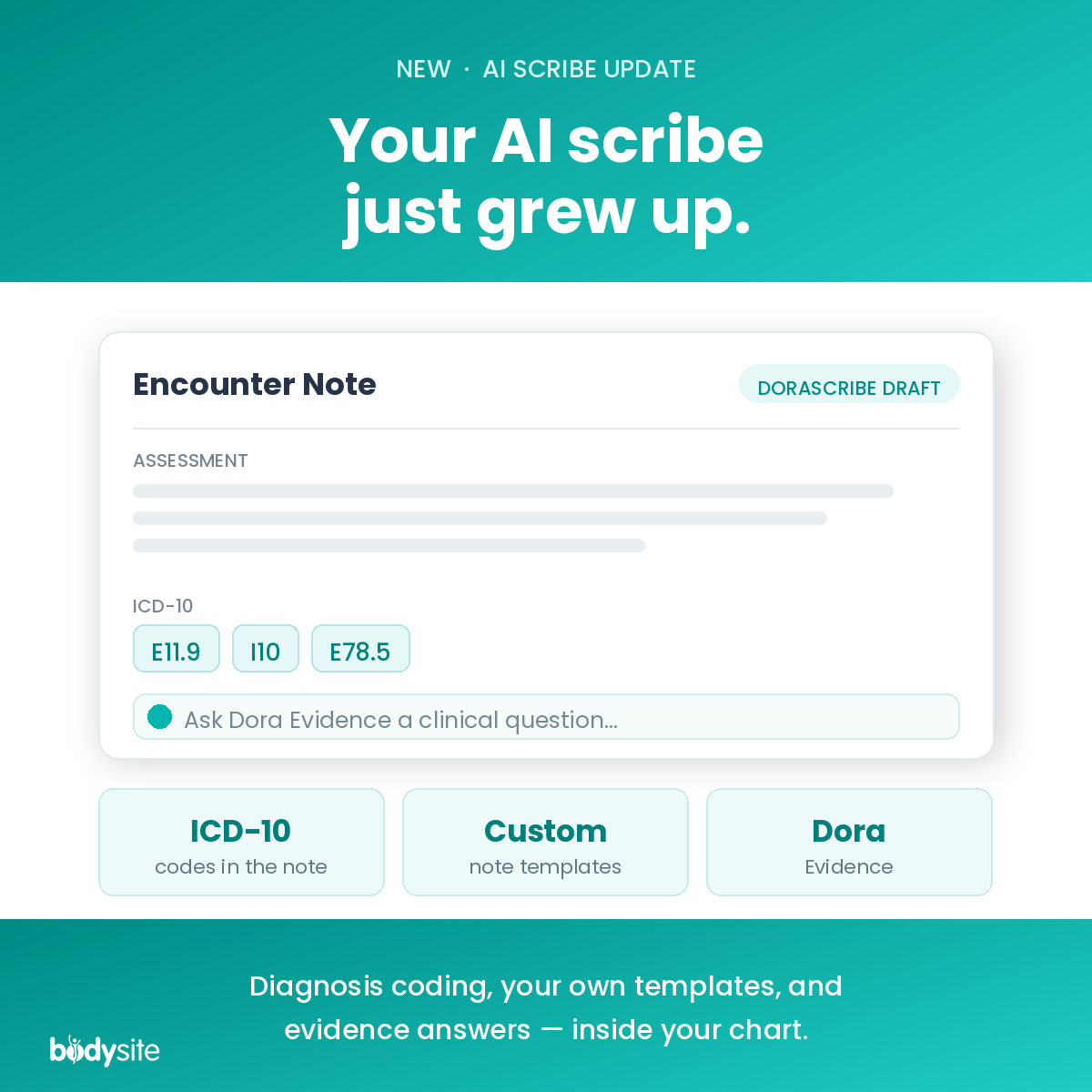
DoraScribe grew up: ICD-10 codes, custom templates, and clinical decision support
We launched AI scribing inside BodySite in the spring. Since then it has quietly become something bigger than a scribe.
When we introduced DoraScribe, the pitch was straightforward: stop re-creating the visit from memory. Record the conversation, let the AI draft a structured encounter note against the template you picked, review it, sign it, move on.
That core is unchanged. What’s changed is everything sitting around it. Three additions in particular are worth your attention this fall — and the third one moves DoraScribe out of the documentation category entirely.
1. ICD-10 codes in the note
Documentation and coding have always been two jobs that happen at two different times, usually by two different people, usually with a gap in between where detail goes missing. You describe the encounter in clinical language, and then somebody later has to translate that into diagnosis codes — often working from a note written hours earlier.
DoraScribe now brings ICD-10 coding into the documentation itself. The note you’re reviewing carries the diagnosis coding with it, which means less hunting, less re-keying, and a smaller gap between what happened in the room and what ends up on the claim. As always, you review before anything is final.
2. Custom note templates
DoraScribe shipped with 80+ note formats — SOAP narrative and list-based, new patient visits, comprehensive intakes, and specialty-specific structures across areas like OB/Gyn, wellness, and mental health.
That covers a lot of ground. It was never going to cover yours exactly.
You can now build your own note structure and have the AI draft directly into it. Your headings, your sections, your order of operations, your standard of documentation — applied consistently on every encounter instead of depending on how much time you had at the end of the day. For practices with a house style, or a compliance requirement, or a supervising physician who wants notes a particular way, this is the difference between an AI draft you keep and an AI draft you rewrite.
The big one
3. Dora Evidence — clinical decision support
This is the addition that changes what DoraScribe is.
Dora Evidence is a built-in clinical decision support tool. You ask a clinical question and get an evidence-based answer back in seconds — in the same tool you’re already documenting in, while the patient is still in front of you.
The distinction matters, so we’ll be plain about it: this is decision support, not decision making. It’s a fast second look at the evidence at the moment you actually need it, rather than a note to yourself to look something up after clinic. The clinical judgment remains entirely yours.
A refresher on how it works
If you never got around to trying DoraScribe in the spring, the workflow takes about a minute to learn.
Inside a patient’s chart, choose Note from Transcription, select your encounter template, and hit start. DoraScribe listens to the conversation, produces a transcript, and generates structured note content shaped by the template you chose. That content lands directly in your encounter editor, where you can edit it, add to it, combine it with other note objects, and save it to the chart.
✓ In-person and telehealth. Record the face-to-face visit, or use it during an online appointment in the BodySite Virtual Clinic.
✓ Note plus transcript. You get the structured note and the full conversation, side by side, before anything is finalized.
✓ Nothing lands unreviewed. The AI drafts. You review, edit, and sign.
Why we built it this way
There is no shortage of AI scribes right now. Most of them are standalone products: a separate subscription, a separate login, a separate place your patient’s clinical information lives, and a copy-paste step to get the note where it needs to be.
DoraScribe writes into the encounter note inside the platform your patients are already using — the same place as their care plans, their intake forms, their messages, and their charts. Documentation that supports care shouldn’t require leaving the tool where care happens.
Try it on your next visit
If you’re on BodySite, DoraScribe is in your charting workflow right now — open a patient chart and choose Note from Transcription. If you’re not, you can try the whole platform free for 30 days.
Already a client and want a walkthrough? Read the step-by-step AI Scribe guide or schedule a live demo.