
New Patients View with Bulk Actions
New Patients View with Bulk Actions
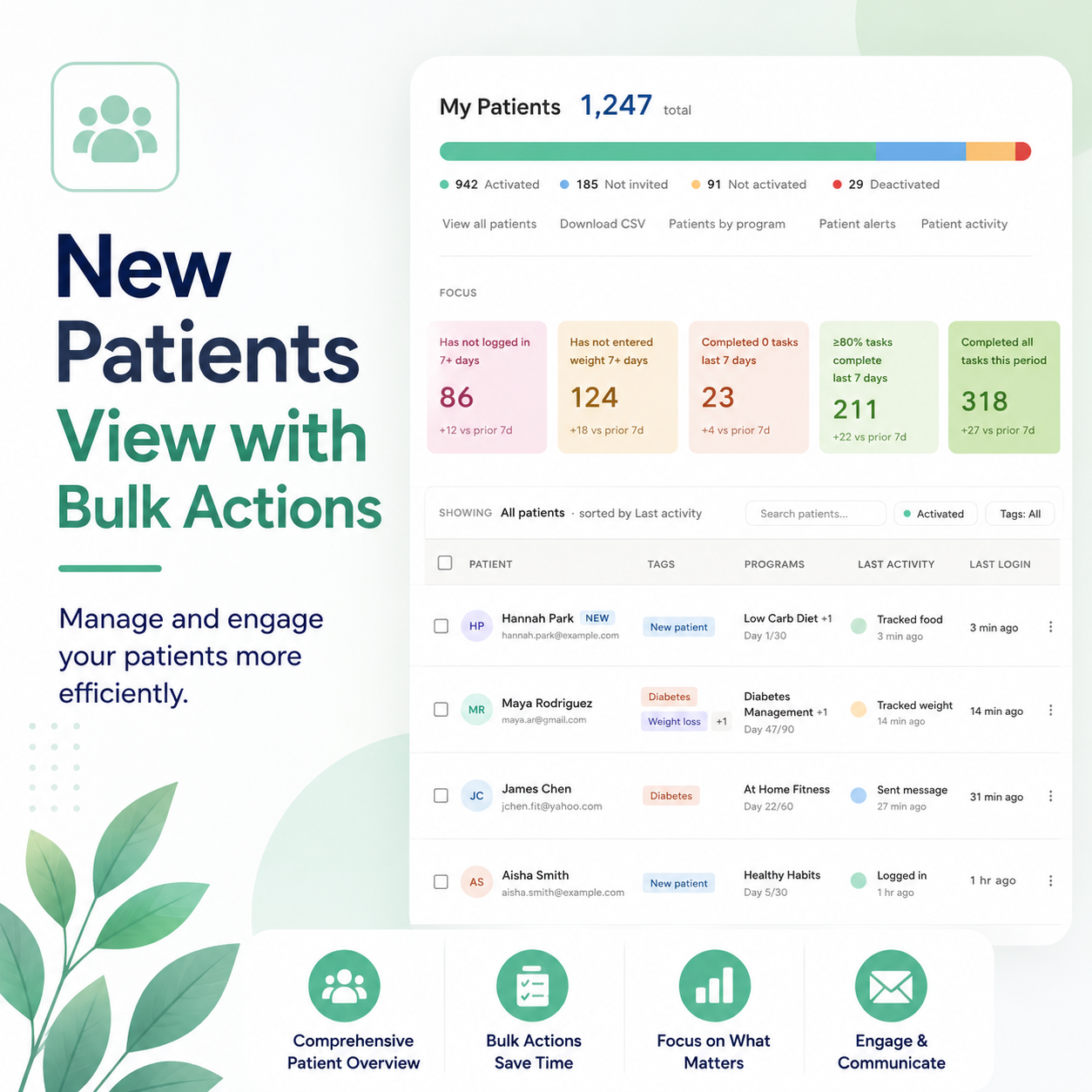
The biggest workflow upgrade to managing patients we’ve shipped in years is live today. A cleaner design, faster search, and — for the first time — the ability to take action on many patients at once.
For too long, acting on your patient roster meant clicking one patient at a time. You’d write the same message to twelve people. You’d add the same six patients to a new program in sequence. You’d hunt through pages of names to find the eight who hadn’t logged in or entered their weight.
That ends today.
👇🏼 CLICK THE IMAGE TO PLAY WITH THE NEW PATIENTS PAGE 👇🏼
Design that matches and speeds up work flow
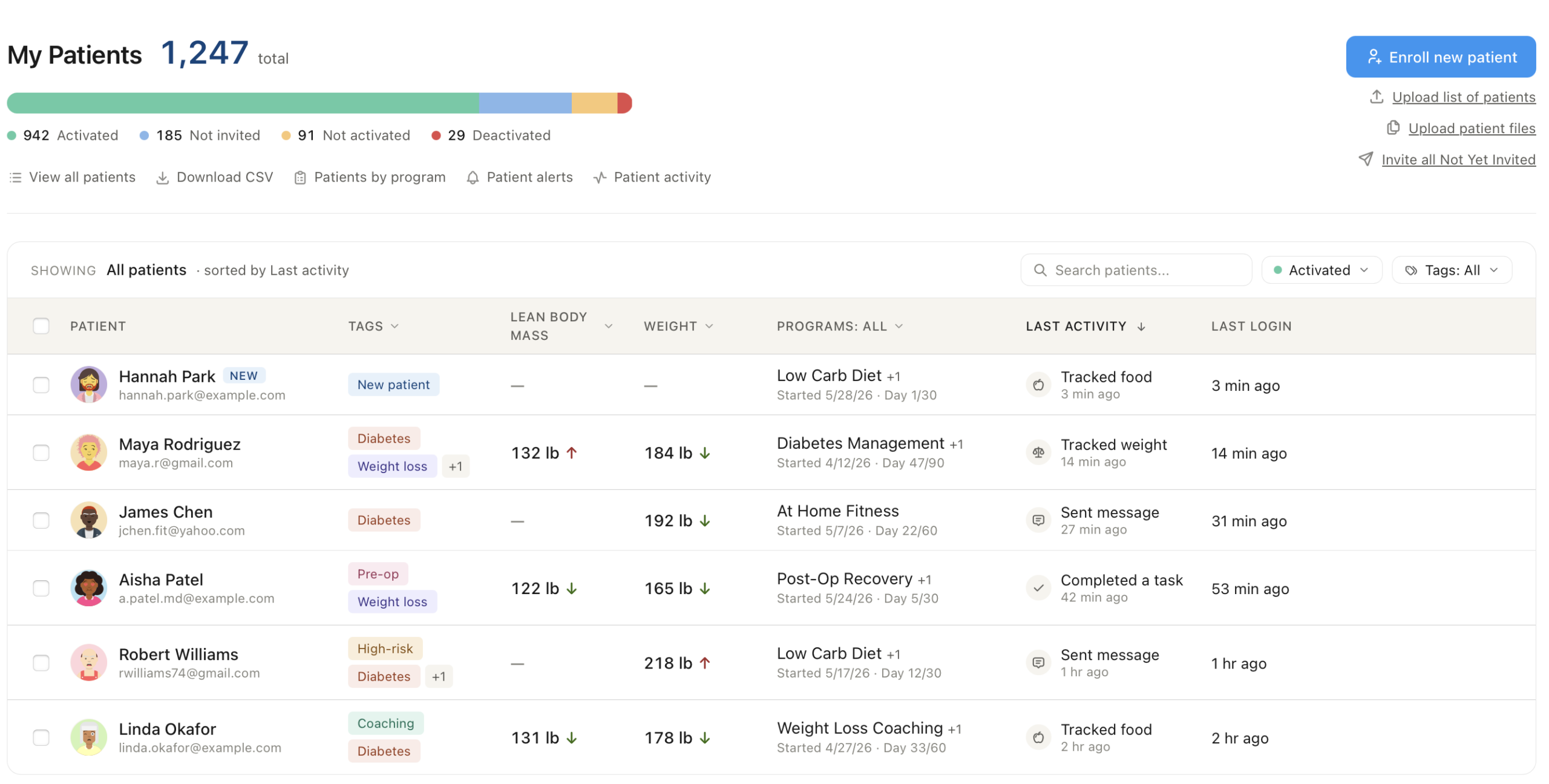
The old page felt like every other EMR — dense, clinical, and unforgiving. The new page is lighter, warmer, and easier on the eyes at any hour of a long clinic day.
Weight and biometric trends surface as clean up/down arrows next to the values. Patient faces appear next to their names, so scanning your roster feels human again.
At the top of the page, a horizontal status bar shows how your roster breaks down across Activated, Not Invited, Not Activated, and Deactivated — replacing the old pie chart with something you can scan in a fraction of a second.
Multi-select and bulk actions
This is the big one. 🔥
Check the box next to any patient — or several — or use the header checkbox to grab everyone matching your current filter. A sticky action bar appears at the bottom with everything you might want to do with a group:

- Message the whole selection with one composer
- Assign forms — ask multiple people to complete intake forms, consent forms, symptom questionnaires
- Add to a program — assign the same care program to every selected patient in one click
- Invite to a group — bring selected patients into a discussion group or support cohort at once
- Add tags — apply tags to a whole selection of patients for future filtering and organization
What used to take multiple clicks now takes two.
Quick win: If your team has added patients but not sent invites, click Invite all Not Yet Invited in the top-right of the page. That single button could save you an hour of chasing.
Search and filters that actually work
Type a patient’s name, an email, or a tag — the table filters live. No page refresh, no waiting. Two filter pills next to the search box let you narrow by activation status (defaults to Activated so your working list stays focused) or by tag.
Everything you rely on is still there
Weight and BMI and your chosen biometrics are still there, still swappable to any biometric in your registry via the column-header dropdown. Programs still show with your existing formats — “Started 5/17/26 · Day 12/30” for tracking programs, “Lesson 5 of 12” for educational courses.
Last Login is preserved.
What comes next
This release is the foundation for something bigger. Rolling out over the next several weeks.
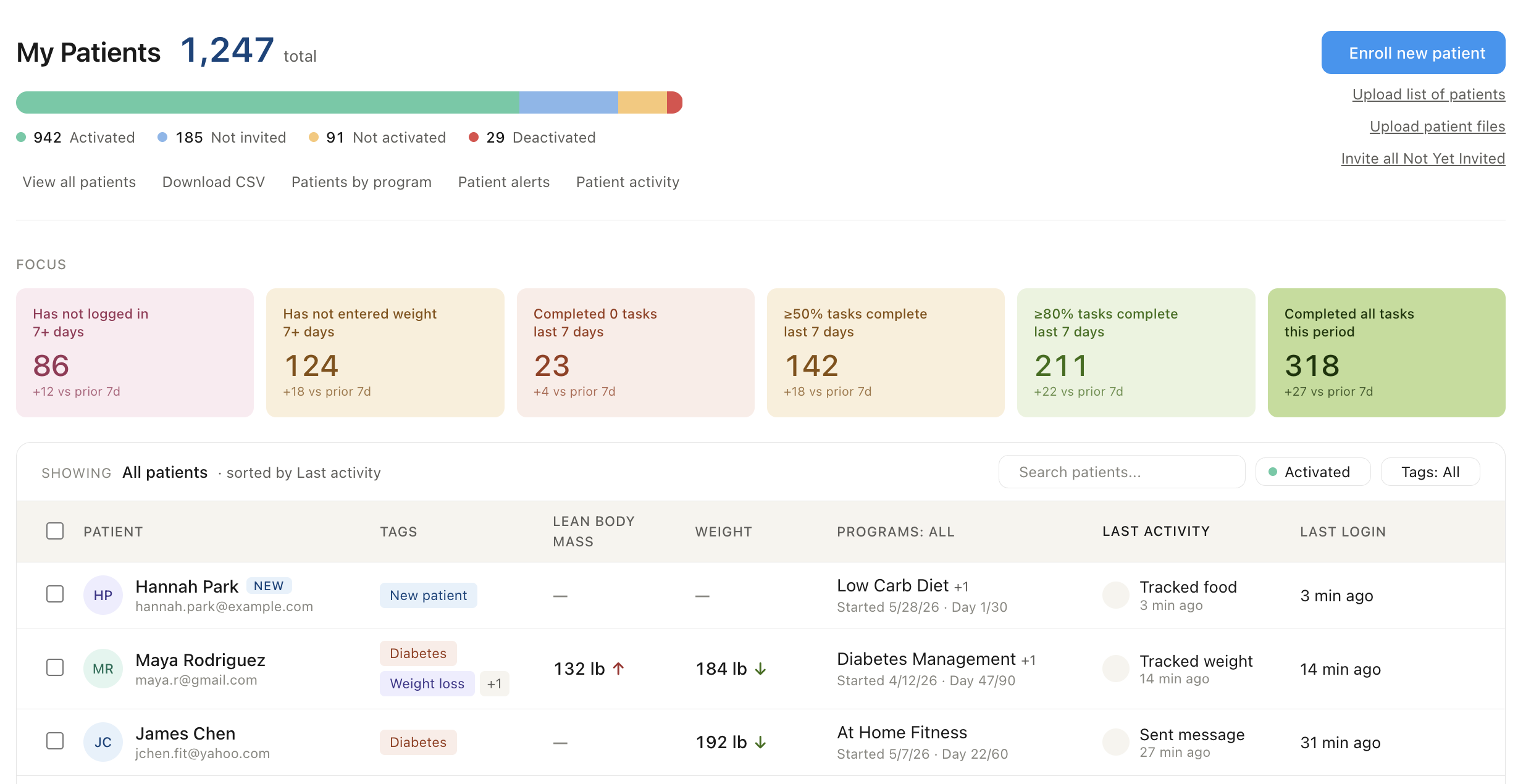
Custom cohorts. Soon you’ll be able to define and save any patient group you can describe. Diabetic patients over 50 who haven’t logged food in five days. Weight-loss coaching patients who hit 100% of their tasks this week. Anyone whose BP is trending up.
Build the cohort once, and it becomes a card you can pin to your patient page, refresh in a click, and act on with the same bulk-action bar you’re using today.
Focus cards. Standard queues that surface the patients needing attention: patients who completed 0 tasks in the last 7 days, patients who haven’t logged in for a week, patients on the verge of hitting all their goals. Click a card, see the patients, take action.
Every metric becomes cohort-able. Today the alerts engine understands biometrics — Weight, BP, A1C, Body Fat %, and their siblings. Soon it’ll understand food tracking, calories, macros, activities, steps, sleep, and task completion. Every one of those becomes something you can alert on and something you can build a cohort from.
Alerts and cohorts, unified. The alert rules you’ve already set up — Failure to Log, Out of Range, Kudos, Oops — are about to become queryable cohorts. “Show me everyone who triggered Kudos this week” — one click, then bulk-message a celebration to the whole group.
Try it now.
Log in and open your Patients page. Everything’s there. If you’re not already using BodySite. Try it free now.
Questions, feedback, or requests? Reach out to your account team or email us at teambodysite@bodysite.com. We’re building the next wave of this now, and the more we hear from you, the sharper it lands.